TikTok Events API sends website events server-side for higher conversion match rates and more reliable signal delivery. It captures events that the TikTok Pixel may miss — due to network issues, page load errors, or browser restrictions.
There are two ways to connect TikTok in SignalSight. Use Automatic Installation if you can sign in to the TikTok ad account — SignalSight pulls your Pixel via the Create with TikTok button. Use Manual Installation if you already have a Pixel ID and access token but don't have ad account access.
Automatic TikTok Installation
Click Create with TikTok at the destination step, sign in, and select your advertiser account and Pixel. SignalSight creates both TikTok Pixel and TikTok Events API destinations automatically.
Option A: Create a New Tracker
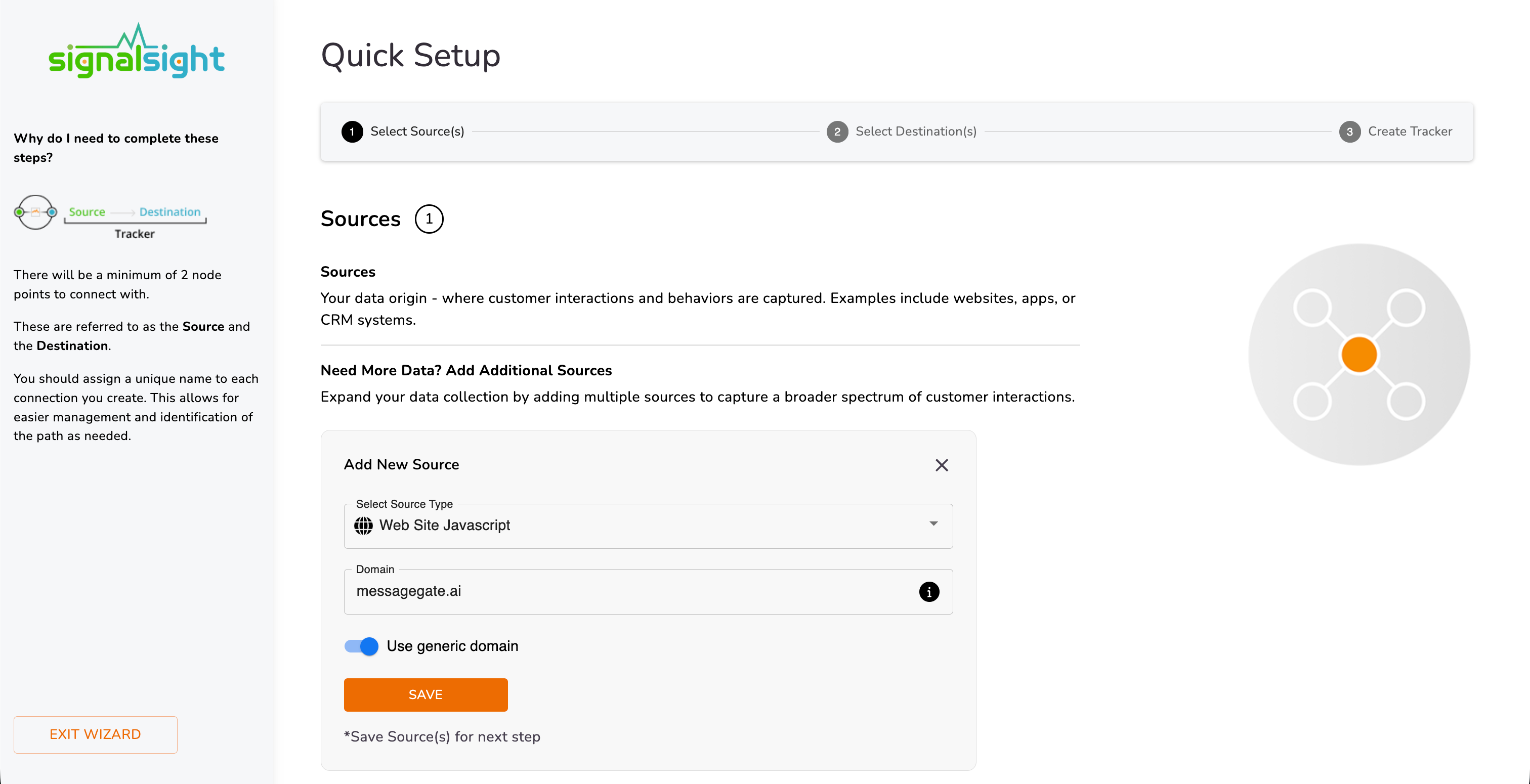
In the wizard's first step, select Website Javascript as the source type and enter your site URL. Save the source and continue.
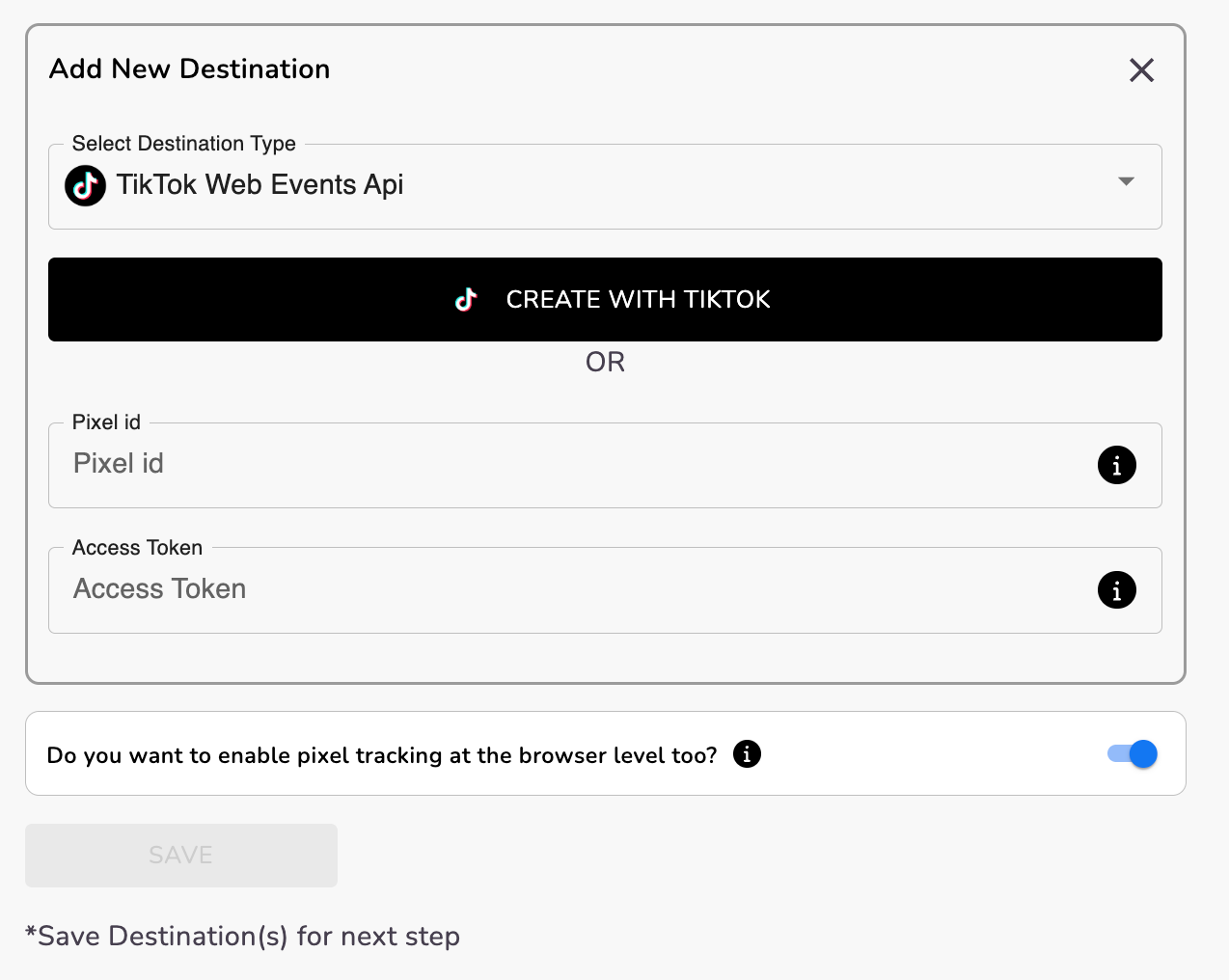
At the Destination step, click + Add Destination and choose TikTok Events API from the list. Start automatic installation with Create with TikTok.
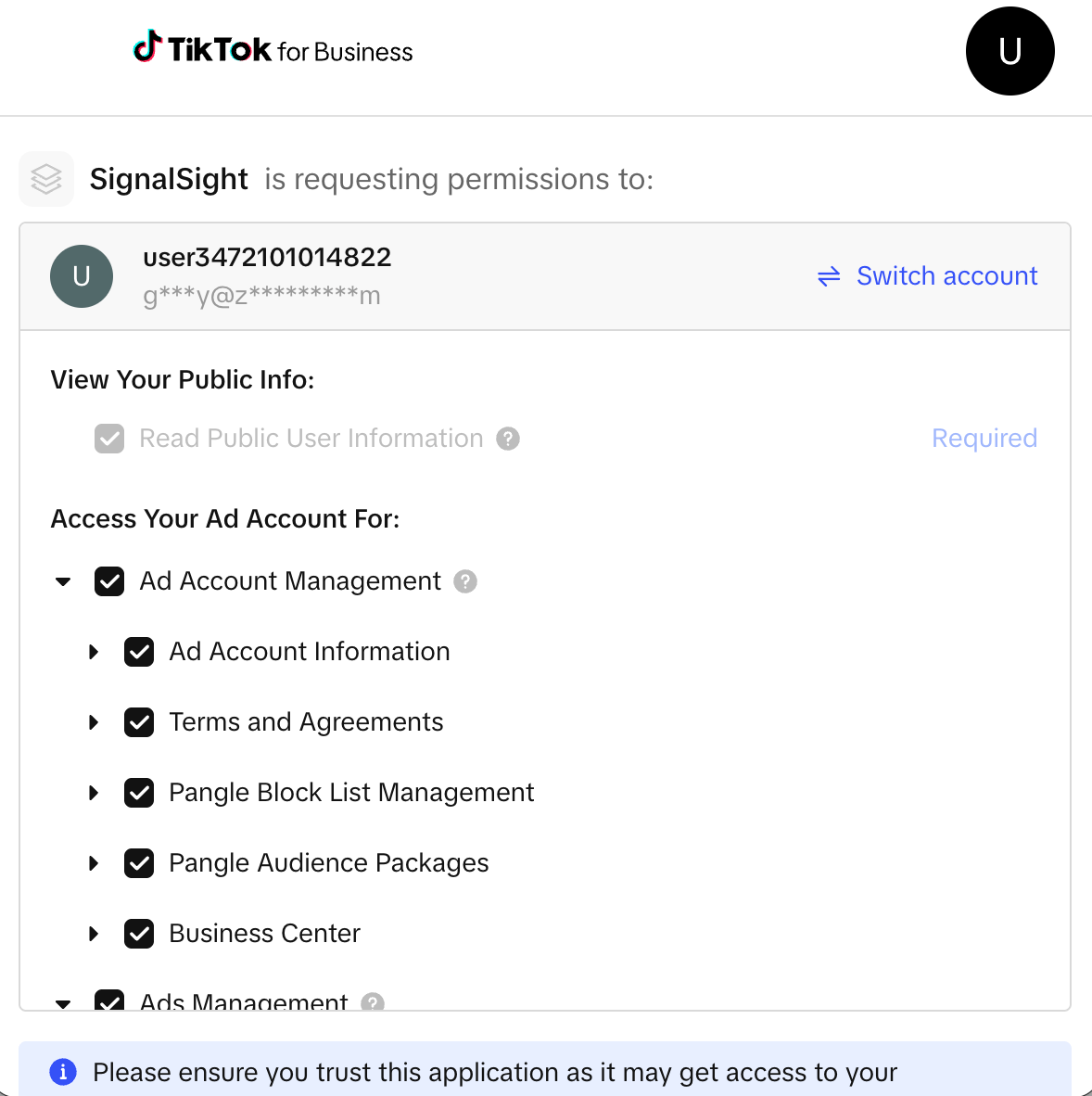
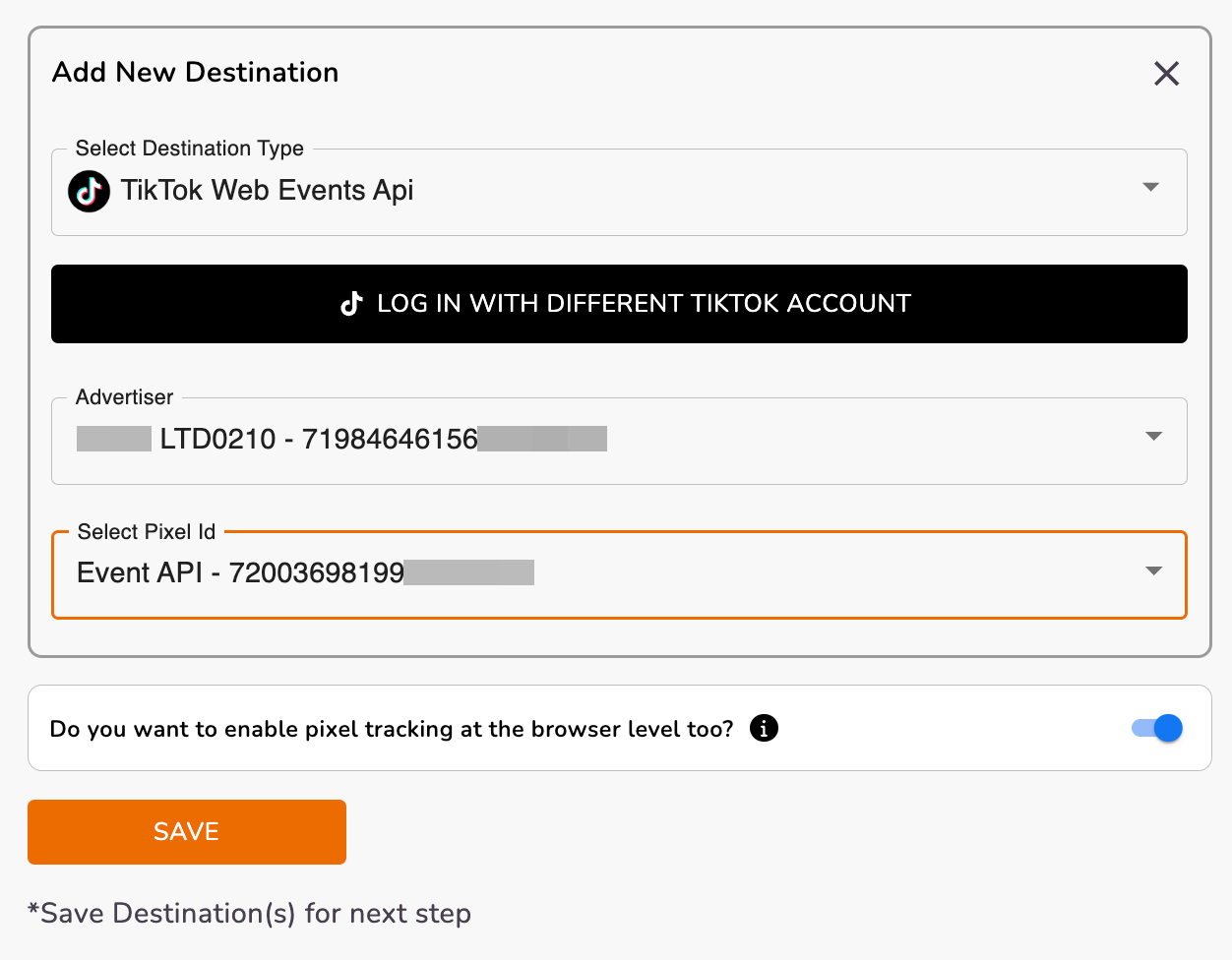
Select your TikTok advertiser account, then pick the Pixel linked to it. SignalSight creates two destinations: TikTok Pixel and TikTok Events API. Name your tracker and complete the wizard.
Option B: Add to an Existing Tracker
Open Trackers from the left sidebar and go to the tracker you want to extend. On the tracker detail page, add two new destinations:
- Click Add New Destination → Create a new → select TikTok Pixel → Create with TikTok. Choose the advertiser and Pixel, then click Create.
- Repeat for TikTok Events API — Add New Destination → Create with TikTok → select advertiser and Pixel to establish the server-side connection.
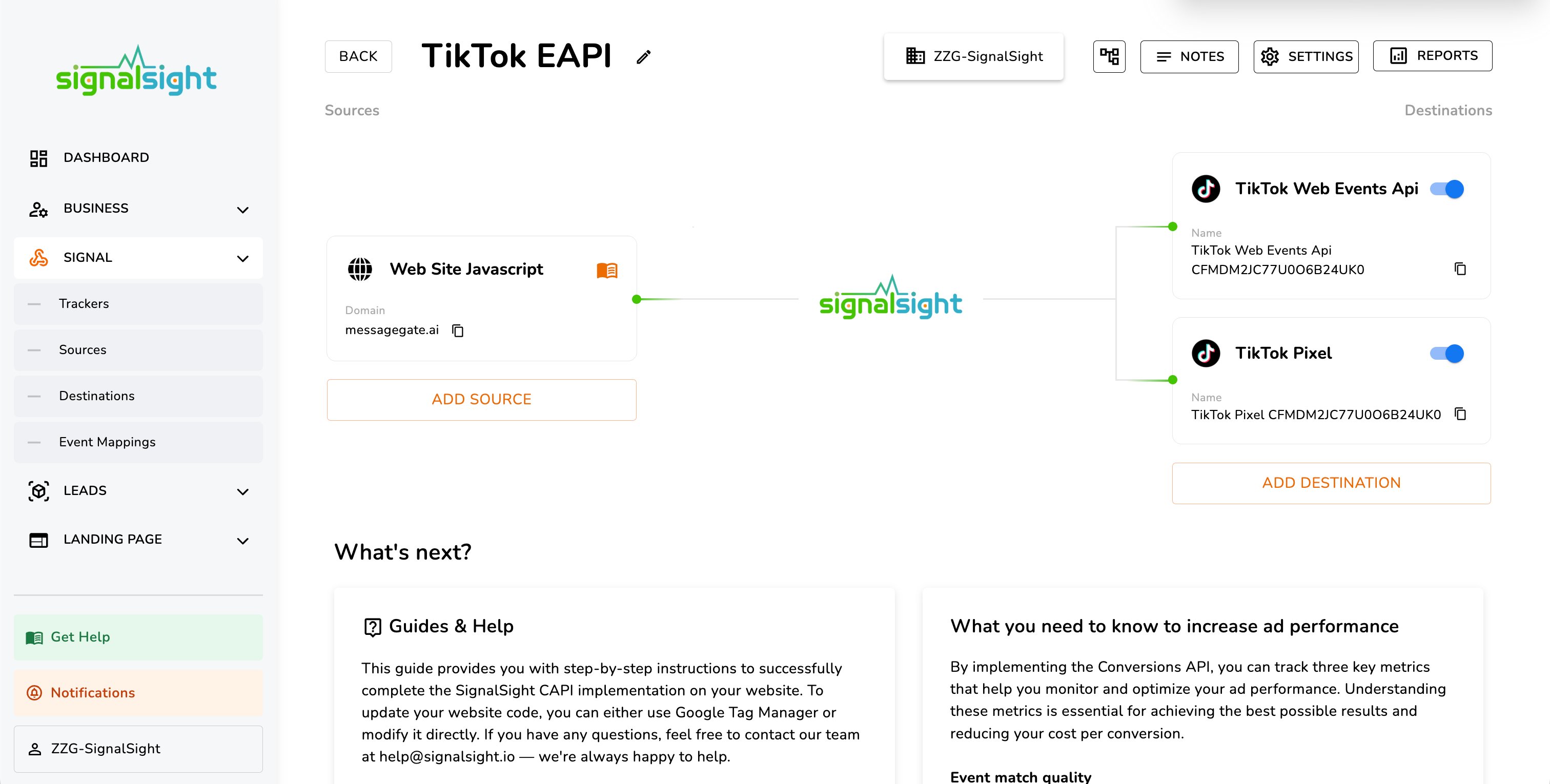
With both destinations in place, proceed to GTM / Frontend Code Activation below.
Manual Installation
Use manual setup when you have a Pixel ID and access token ready but cannot use Create with TikTok — for example, when a partner or agency holds the ad account.
- Create or open a tracker with a Website Javascript source, same as the automatic flow.
- At the destination step, click + Add Destination and choose TikTok Events API.
- Enter your Pixel ID and access token manually — do not click Create with TikTok.
- Save the destination. SignalSight creates both TikTok Pixel and TikTok Events API from the credentials you provide.
Find your Pixel ID in TikTok Ads Manager under Events. Generate an access token from the Pixel settings screen via Generate Access Token — copy it immediately; it won't be shown again.
To add TikTok to an existing tracker, use Add New Destination on the tracker detail page and enter the same credentials.
Once the destination is saved, continue to GTM / Frontend Code Activation below — the tag setup is identical for both installation methods.
GTM / Frontend Code Activation
Tag Manager experience required
This step requires familiarity with Google Tag Manager. If you're not the person managing your tags, share this section with your technical team.
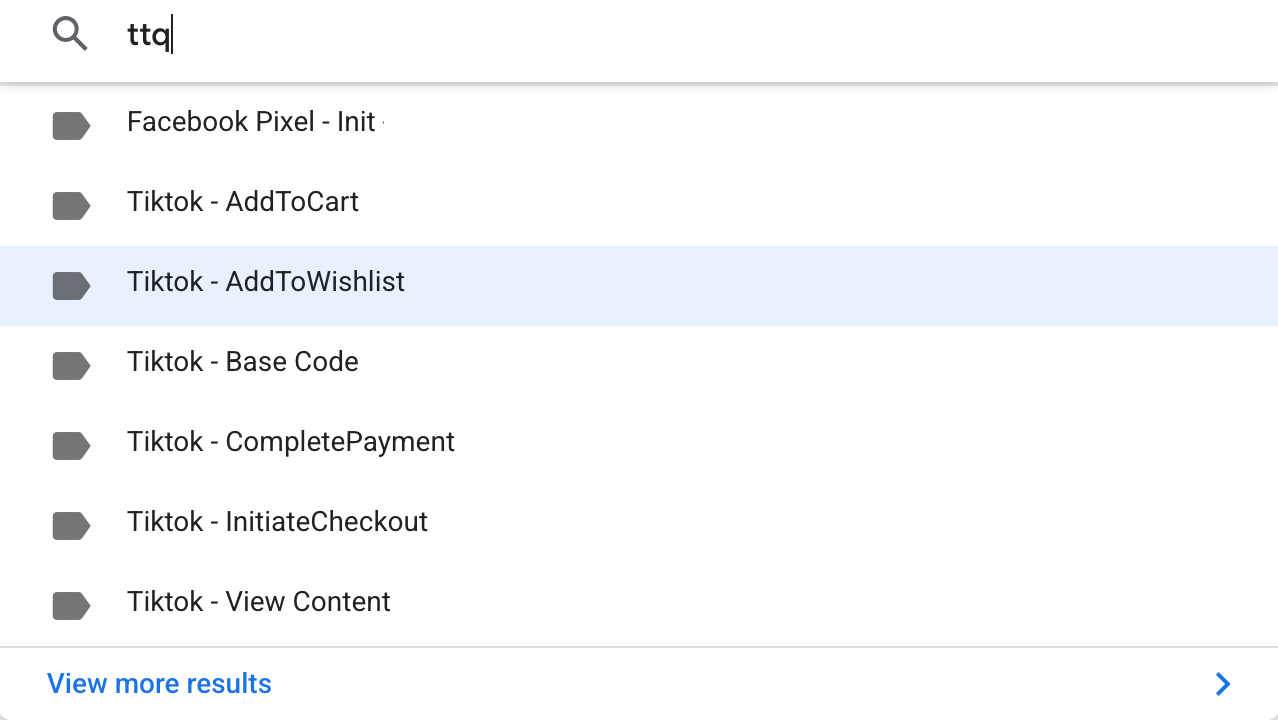
Open your Tag Manager workspace and search for TikTok tags (ttq).
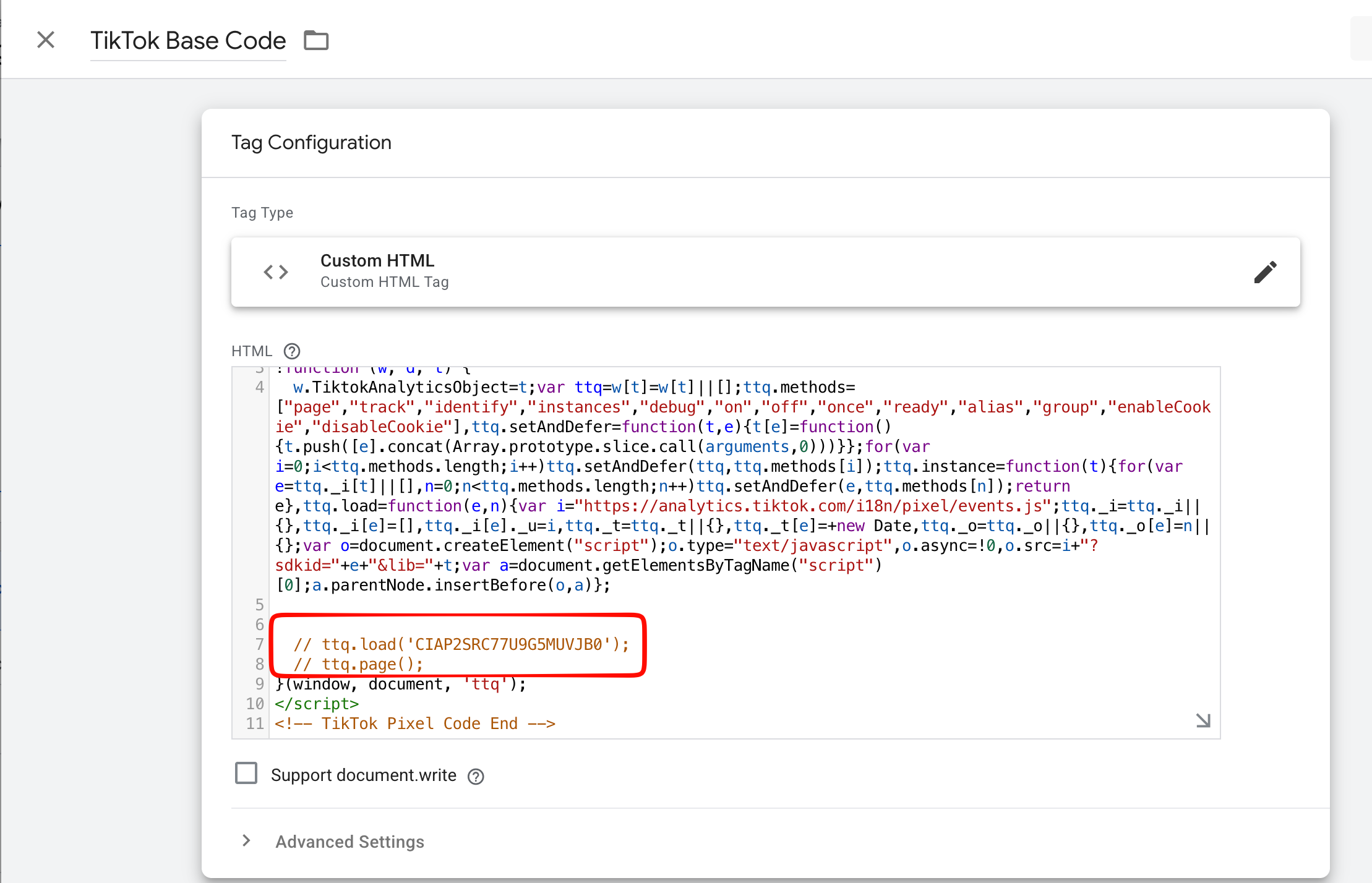
Open the TikTok Base Code tag and comment out the lines starting with ttq.load and ttq.page by prefixing them with //. Click Save.
Pause all other TikTok tags: open each one and click Pause so only SignalSight handles event firing.
Testing Your Events API Setup
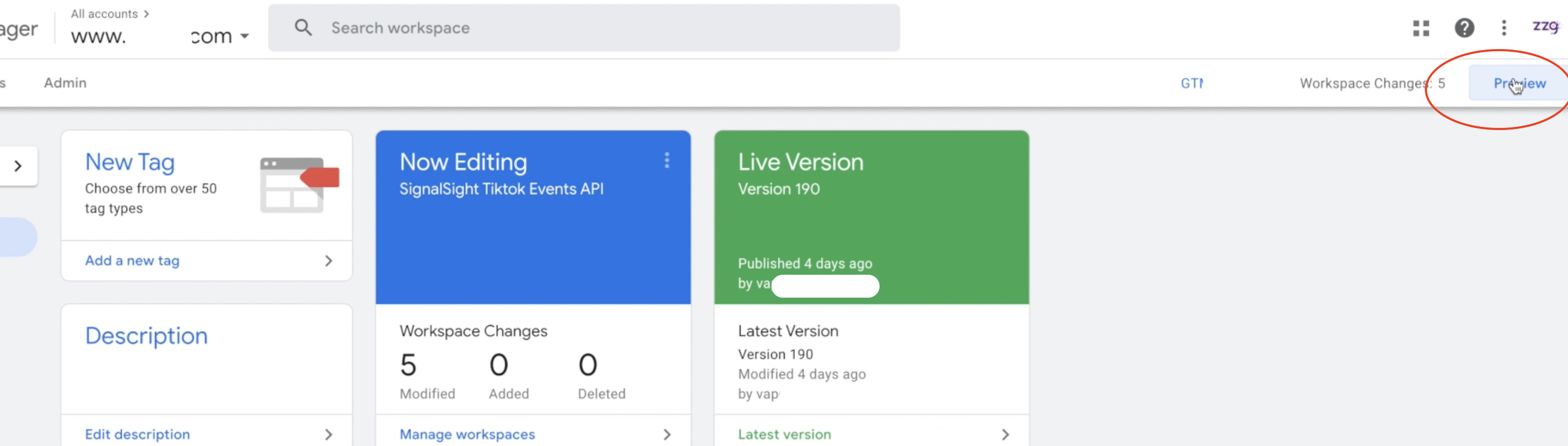
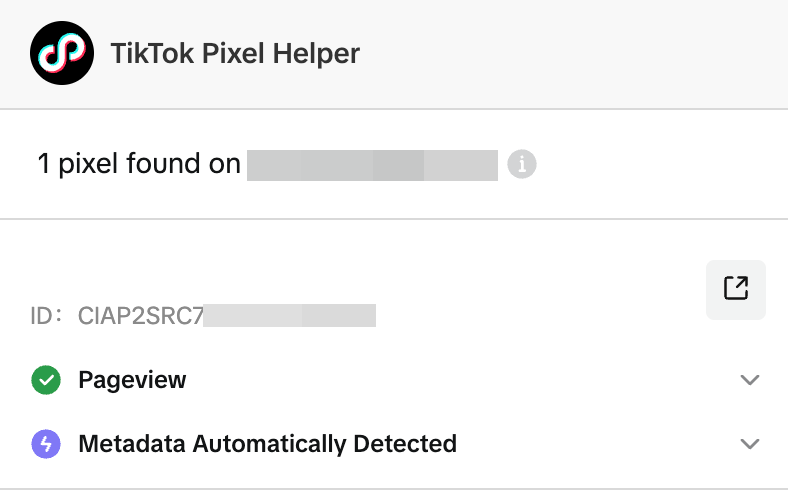
Confirm server-side events are firing correctly. In Tag Manager, click Preview to verify your GTM changes. You can also use the TikTok Pixel Helper browser extension to inspect events in real time.
Consent Management & Data Privacy
To comply with data protection regulations (GDPR, CCPA, and similar frameworks), only activate tracking scripts after the user has given consent through your Consent Management Platform (CMP). SignalSight respects your consent configuration — events are not sent until consent is granted.
Frequently Asked Questions
When should I use automatic vs manual installation?
Use automatic installation when you can sign in to the TikTok ad account — Create with TikTok pulls your Pixel in one step. Use manual installation when you already have a Pixel ID and access token from a partner or agency but don't have ad account login access.
What's the difference between TikTok Pixel and TikTok Events API?
TikTok Pixel runs in the browser and can miss events due to ad blockers or network issues. TikTok Events API sends events server-side for more complete coverage. SignalSight sets up both and deduplicates so the same action isn't counted twice.
Do I need to pause my existing TikTok GTM tags?
Yes. Comment out ttq.load and ttq.page in the TikTok Base Code tag and pause other TikTok tags. SignalSight takes over event firing to avoid duplicate or conflicting signals.
Can I add TikTok to a tracker that already has Meta CAPI?
Yes. Open the tracker detail page and add TikTok Pixel and TikTok Events API as new destinations. One tracker can route the same source events to multiple ad platforms.
How do I verify events are reaching TikTok?
Use GTM Preview mode to confirm tags fire as expected, then check with the TikTok Pixel Helper extension. You can also monitor events in TikTok Events Manager under your Pixel.