SignalSight Conversion Lead streams lead-stage updates from Salesforce CRM to Meta in real time. When a lead moves through your pipeline — contacted, qualified, junk, or won — those events flow back to Meta so campaigns optimize toward meaningful outcomes instead of raw form submissions.
Before you start
You need a SignalSight account and a Meta CRM Pixel set up in Events Manager. For Pixel ID and access token steps, see Meta (Facebook) CAPI Setup. New users can start with Account Creation.
Get Started
Open the Tracker Creation Wizard under Signal in the left menu. The wizard walks you through Salesforce source creation, Meta CAPI destination setup, and tracker naming in three steps.
Create a Tracker
Step 1 — Salesforce Source
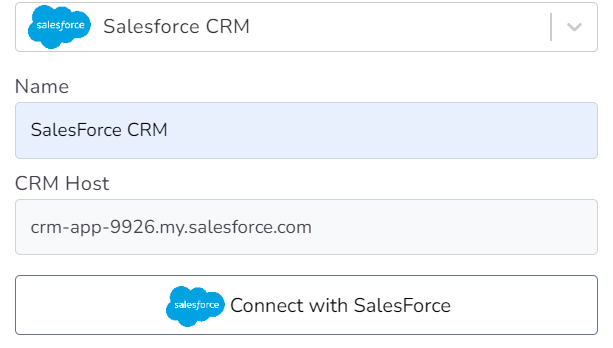
Select Salesforce CRM as your source type, give it a name, and enter your CRM Host — the URL of your Salesforce instance (e.g. crm-app-9926.my.salesforce.com). Once the host is entered, click Connect with Salesforce to authenticate and grant the required permissions.
How to Get CRM Host
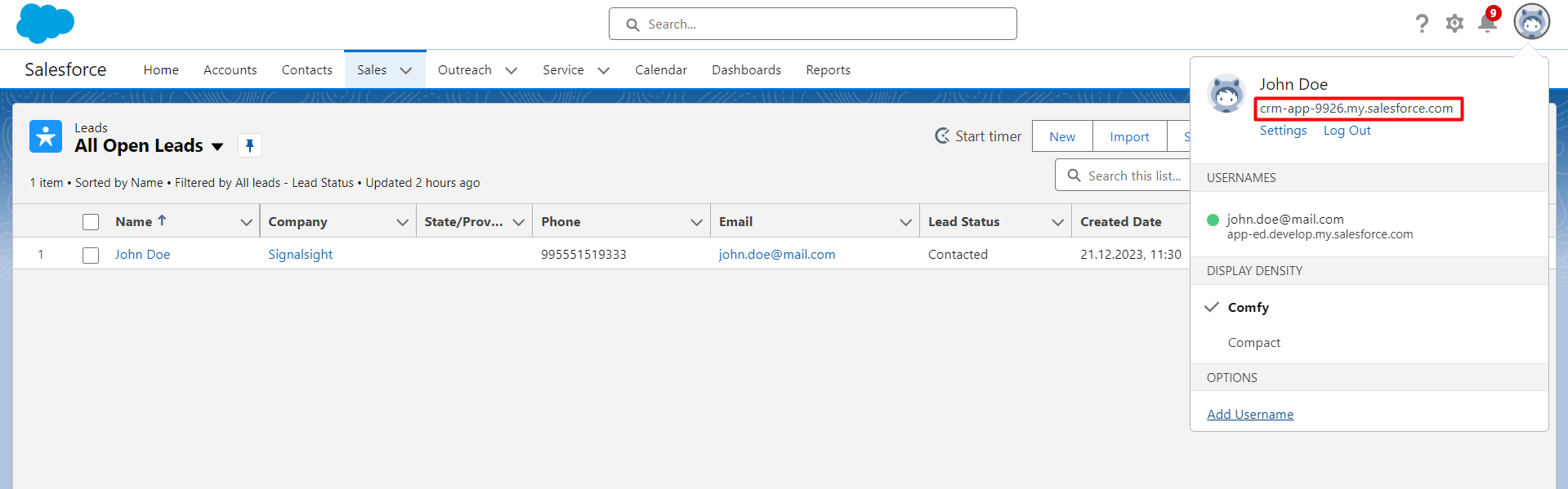
Log in to your Salesforce CRM account and click the avatar icon in the top-right menu. Under your name you will see a URL ending in salesforce.com — copy this value and paste it into the CRM Host field in SignalSight.
Salesforce CRM Mapping
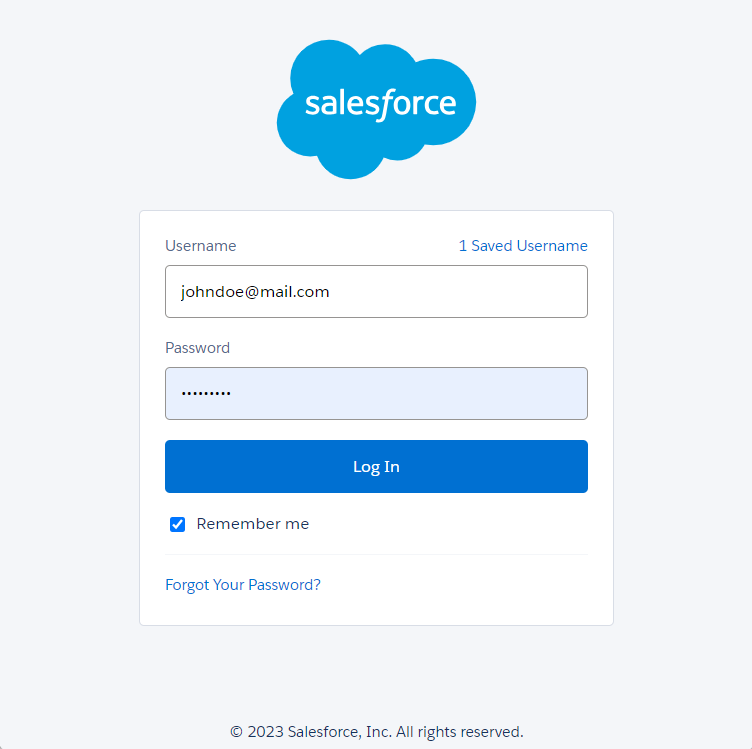
After authentication, map your Salesforce lead fields to the SignalSight fields. Sign in when prompted and grant the requested CRM permissions.
On the mapping screen, configure the Event Name Prefix and field mappings. The prefix controls how events are labeled — with CRMLeads as the prefix, a Junk status becomes CRMLeads-Junk. Leave the prefix empty to send events with status names directly (e.g. Qualified Lead, Junk).
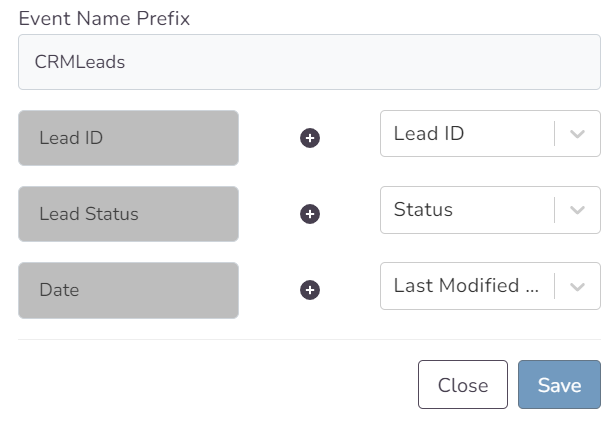
Map Lead ID, Lead Status, and Date to the corresponding Salesforce fields. It is critical to map your leadgen_id field correctly — this is the Meta Lead ID used to match CRM events back to Facebook-generated leads. You can set any unneeded field to None.
Note
Incorrect leadgen_id mapping is the most common cause of validation failures. Make sure the field storing Meta's lead identifier is mapped before you proceed.
Click Save and Next to continue to destination setup.
Step 2 — Meta CAPI Destination
Create a Meta Conversions API destination for Conversion Leads. Enter your CRM Pixel ID and access token manually, or use Connect Facebook CAPI to sign in and select the Pixel from your account.
Note
The Pixel must be a CRM Pixel — not your website Pixel. In Events Manager, click Connect Data Sources, select CRM, then Connect. Create a new dedicated Pixel (recommended) so CRM events stay separate from your web Pixel.
Step 3 — Name and Complete
Name your tracker, review the source and destination summary, and finish the wizard. The tracker detail screen shows your connected Salesforce source and Meta CAPI destination.
Manage Your Source
Open your tracker at any time to update field mapping or review sent event history via the source action menu. Use Edit Mapping to adjust field mappings and the CRMLeads event name prefix. The testing feature displays sample lead data if a lead was generated within the last 7 days.
Note
Changing mapping on campaigns that have already completed Meta's learning phase may restart the learning process. Update mappings only when necessary.
What Happens Next
Once CRM events start flowing, complete the funnel setup in Meta Events Manager. The three guides below cover everything after tracker creation:
- Validation Phase — Meta's 7-day validation window and how to resolve errors.
- Define Your Sales Funnel — map CRM events to funnel stages and set your optimization target.
- Run Conversion Leads Campaigns — campaign objective, ad set, and Conversion Leads optimization settings.
Frequently Asked Questions
Where do I find my CRM Host URL?
Log in to Salesforce and click your avatar in the top-right corner. The URL displayed under your name (e.g. crm-app-9926.my.salesforce.com) is your CRM Host. Copy it exactly into the SignalSight source configuration.
What is the Event Name Prefix?
It prepends a label to every event sent to Meta. With the CRMLeads prefix, a Qualified status becomes CRMLeads-Qualified. Leave it empty to send events using your Salesforce status names directly.
Why is leadgen_id mapping required?
The leadgen_id is Meta's unique identifier for each Facebook-generated lead. SignalSight uses it to match CRM stage updates back to the original lead. Without correct mapping, events are rejected during Meta's validation phase.